
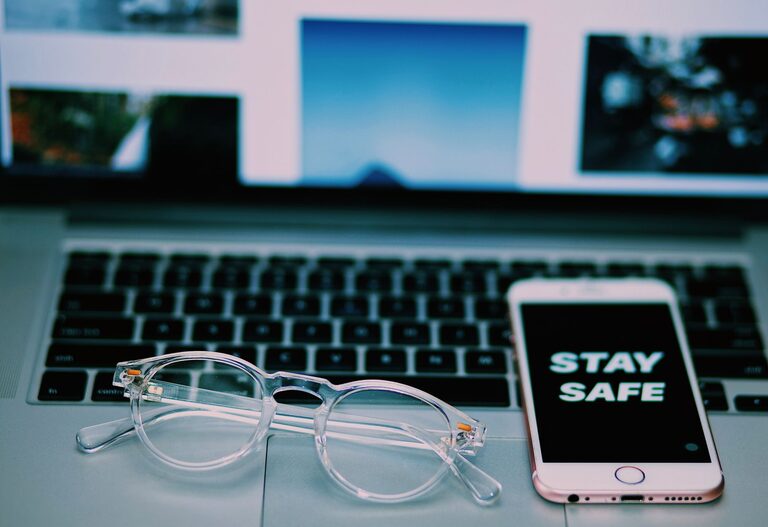
In today’s digital world, our phones and keyboards are some of the most used items, often touched multiple times a day. That makes them hotspots for dirt, dust, and germs. Keeping these devices clean not only helps maintain their functionality but also supports good hygiene. However, cleaning electronic devices requires care to avoid accidental damage. This guide will walk you through safe, effective methods to clean your phone and keyboard without causing harm.
Why Cleaning Your Devices Matters
Devices like smartphones and keyboards can harbor bacteria, oils from your skin, and debris. Over time, these contaminants can:
– Affect the device’s performance
– Cause sticky or unresponsive keys
– Transfer germs to your hands and face
Regular cleaning helps reduce these risks and keeps your gadgets looking and working like new.
What You’ll Need for Safe Cleaning
Before you start, gather the following supplies:
– Microfiber cloths (soft, lint-free)
– Isopropyl alcohol (70% concentration or less) or disinfecting wipes safe for electronics
– Cotton swabs or soft brushes
– Compressed air canister
– Distilled water (optional)
– Small bowl (optional)
Avoid using harsh chemicals, abrasive materials, or excessive liquid that can damage sensitive components.
—
How to Clean Your Phone Safely
Phones are delicate and usually water-resistant to some degree, but that doesn’t mean you can soak them. Follow these steps:
1. Power Off Your Phone
Always turn off your phone and unplug it from any chargers before cleaning.
2. Remove the Case and Accessories
Take off any phone case, screen protectors, or accessories to clean each part separately.
3. Use a Microfiber Cloth
Dampen the cloth slightly with water or a mixture of 50% distilled water and 50% isopropyl alcohol. Wring out excess liquid so the cloth is just moist, not wet.
Gently wipe the screen and back of the phone to remove fingerprints and smudges.
4. Clean Around Buttons and Ports
Use a dry cotton swab or soft brush to remove dust and debris from crevices, ports, and buttons. Avoid inserting anything sharp inside ports.
5. Disinfect Carefully
If you want to disinfect, lightly dampen a microfiber cloth or disinfecting wipe (containing 70% alcohol or less) and wipe the surfaces carefully. Avoid getting moisture into openings.
6. Dry Your Phone
Let your phone air dry for a few minutes before turning it back on or putting the case back on.
—
How to Clean Your Keyboard Safely
Keyboards collect dust, crumbs, and germs, especially if you eat at your desk. Cleaning your keyboard regularly will keep it functioning well and hygienic.
1. Unplug or Turn Off Your Keyboard
Whether wired or wireless, disconnect your keyboard and turn it off if possible.
2. Remove Loose Debris
Turn the keyboard upside down and gently shake it to dislodge crumbs and dust.
3. Use Compressed Air
Spray compressed air between the keys to remove remaining debris. Hold the can upright and use short bursts.
4. Wipe the Surface
Dampen a microfiber cloth with a mix of water and isopropyl alcohol (50/50) or use keyboard-safe disinfecting wipes. Wring out any excess liquid thoroughly.
Gently wipe the tops of the keys and keyboard surface.
5. Clean Between Keys
Use cotton swabs dipped in the cleaning solution to reach between keys. Avoid too much moisture.
6. Dry Completely
Allow the keyboard to air dry completely before plugging it back in or switching it on.
—
Additional Tips for Both Devices
– Avoid excessive liquid: Never spray cleaner directly onto your devices. Always apply it to a cloth first.
– Do not use bleach or abrasive cleaners: These can damage screens and key labels.
– Clean regularly: Aim to clean high-touch devices at least once a week, or more often if used in shared environments.
– Consider screen protectors and keyboard covers: These can make cleaning easier and protect from dirt and spills.
– Wash your hands regularly: Clean hands help reduce grime build-up on your devices.
—
Conclusion
Cleaning your phone and keyboard is an easy yet important step in maintaining your tech and personal hygiene. With the right materials and a gentle approach, you can keep your devices clean and functioning well without risking damage. Make it a routine—your devices (and your hands) will thank you!